
As digital workflows increasingly replace paper-based processes, the stylus pen has evolved from a simple pointing tool into a high-precision input device. Whether used for handwriting, industrial design, remote education, or document annotation, the performance of a stylus pen directly affects productivity, accuracy, and user experience.
For manufacturers and buyers, the challenge is no longer choosing between “basic” and “advanced” models, but understanding how core technical parameters—such as pressure sensitivity, latency, and compatibility—translate into real-world performance. This article explores the engineering behind stylus pen design and how to select solutions that deliver consistent, professional-grade results.
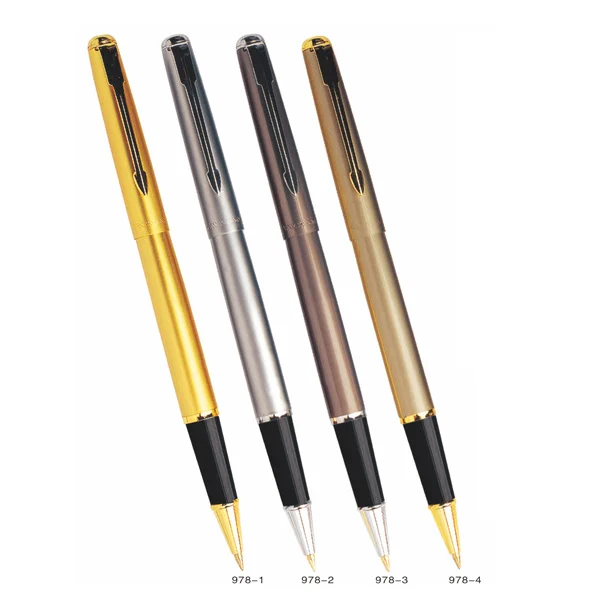
The Shift from Passive to Active Stylus Pen Systems
Early stylus pens were purely passive, relying on capacitive touch simulation. While sufficient for basic navigation, they lacked precision and control. Modern stylus pens, especially active models, integrate electronic components that enable fine-grained input.
Active stylus systems typically include:
-
Pressure sensors capable of detecting 1024 to 4096 levels
-
Tilt recognition for angle-based input variation
-
Palm rejection to differentiate intentional input from accidental contact
-
Wireless communication protocols such as Bluetooth or proprietary digitizer signals
This evolution has expanded the stylus pen from a consumer accessory into a professional tool used in engineering design, digital art, and enterprise workflows.
Core Technical Parameters That Define Stylus Pen Performance
A stylus pen’s effectiveness depends on how well it translates human motion into digital signals. Several measurable parameters determine this translation quality.
Pressure Sensitivity and Line Control
Pressure sensitivity defines how accurately the stylus pen can detect variations in applied force. Higher sensitivity enables:
-
Smooth line thickness transitions
-
Better control in handwriting and sketching
-
More natural drawing experience
In industrial-grade applications, 2048 levels are considered a baseline, while 4096 levels provide near-analog precision.
Latency and Response Time
Latency refers to the delay between physical input and on-screen response. High latency disrupts workflow, especially in fast-paced environments.
Modern stylus pens aim for latency below 20 milliseconds. Premium systems can achieve sub-10 ms response times, creating a near real-time writing experience.
Latency performance depends not only on the pen but also on the display refresh rate and system processing capability.
Tip Material and Friction Coefficient
The tip is the physical interface between the stylus pen and the screen. Its material composition affects both durability and writing feel.
Common materials include:
-
POM (polyoxymethylene) for durability and smooth glide
-
Elastomer blends for higher friction and paper-like feedback
A well-designed stylus pen balances low wear with controlled resistance, avoiding both excessive slipperiness and drag.
Tilt Recognition and Angular Accuracy
Tilt functionality allows the stylus pen to simulate shading and brush effects by detecting the angle of contact.
Typical tilt ranges are ±60 degrees. Accurate tilt detection is essential for applications such as digital illustration and industrial sketching, where angle variation affects output.
Compatibility: A Critical Constraint in Stylus Pen Selection
Unlike traditional writing tools, stylus pens are tightly coupled with device ecosystems. Compatibility is determined by the underlying digitizer technology.
Major technologies include:
-
EMR (Electro-Magnetic Resonance), which allows battery-free operation
-
AES (Active Electrostatic), requiring internal power
-
Proprietary protocols used by specific device manufacturers
A stylus pen designed for one system may not function correctly—or at all—on another. This makes compatibility validation a non-negotiable step in procurement.
For enterprise deployment, cross-device compatibility can significantly reduce operational complexity.
Power Management and Battery Design
Active stylus pens require power to operate sensors and communication modules. Battery design directly impacts usability and maintenance.
Two common approaches are:
-
Rechargeable lithium batteries, typically offering 8–20 hours of continuous use
-
Replaceable batteries, providing longer standby time but requiring periodic replacement
Charging methods also vary, including USB-C, magnetic charging, and wireless charging.
Efficient power management ensures stable performance without frequent interruptions, which is particularly important in continuous-use environments such as education or design studios.
Structural Design and Manufacturing Considerations
From a manufacturing perspective, stylus pen reliability depends on mechanical precision and assembly quality.
Key factors include:
-
Tip alignment tolerance within ±0.1 mm to ensure accurate input
-
Housing materials that balance weight, durability, and thermal stability
-
Internal component integration to prevent signal interference
Companies with strong experience in traditional writing instruments, such as those producing ballpoint and gel pens, often bring valuable expertise in ergonomics and mass production consistency.
This integration of traditional craftsmanship with electronic engineering is essential for delivering a stylus pen that feels natural while maintaining technical performance.
Application Scenarios and Performance Requirements
Different use cases impose distinct demands on stylus pen performance.
In digital note-taking, low latency and consistent pressure response are critical for handwriting clarity. Users expect the stylus pen to replicate the feel of ink on paper.
In industrial design and CAD sketching, precision and tilt recognition become more important. Even minor inaccuracies can affect design outcomes.
In education environments, durability and battery life are prioritized, as devices are used continuously across multiple sessions.
For document annotation in enterprise workflows, compatibility and reliability outweigh advanced features. The stylus pen must function seamlessly across devices without requiring frequent calibration.
Common Performance Issues and Their Root Causes
Understanding typical failure modes helps in both product selection and quality control.
Inconsistent line thickness often results from poor pressure sensor calibration. This can make handwriting appear uneven.
Lag or delayed response is usually linked to either high latency in the stylus pen or insufficient system optimization.
Tip wear occurs when low-quality materials are used or when friction is not properly balanced. Excessive wear increases replacement frequency and operating cost.
Connectivity issues in Bluetooth-enabled stylus pens can disrupt workflow, particularly in environments with multiple devices.
Addressing these issues requires a combination of robust design, high-quality components, and strict manufacturing control.
Cost vs Performance: Evaluating Total Value
While price is a key consideration, the true value of a stylus pen lies in its performance consistency and lifespan.
Lower-cost products may reduce upfront expenditure but often result in:
-
Higher replacement rates due to wear
-
Reduced productivity inconsistent performance
-
Compatibility limitations
In contrast, a well-engineered stylus pen offers stable performance, longer service life, and better user experience, ultimately lowering total cost of ownership.
Future Trends in Stylus Pen Development
As digital input technologies continue to evolve, stylus pens are becoming more sophisticated.
Emerging developments include:
-
Ultra-low latency systems approaching real-time response
-
AI-assisted handwriting recognition integration
-
Enhanced haptic feedback for realistic writing feel
-
Cross-platform compatibility solutions
These innovations are expanding the role of the stylus pen in both professional and consumer applications.
Stylus Pen: A Critical Interface for Digital Productivity
The stylus pen is no longer a simple accessory—it is a precision instrument that bridges human input and digital systems. By focusing on measurable parameters such as pressure sensitivity, latency, compatibility, and durability, businesses can select solutions that deliver reliable performance across diverse applications.
In a world where digital workflows demand both speed and accuracy, investing in a high-quality stylus pen is essential for achieving consistent, high-performance results.
www.baixin-pen.com
Baixin Stationery Co.,Ltd